Formulas are calculated from DBFields, other formulas, summaries, and parameters, so they can present information that DBFields cannot do.
Formula fields in a report can be used as the trigger object of links, and you can change their display types if you want.
See an example: The SampleComponents catalog, included with JReport Designer, contains reports that have examples of how each component type could be used in a report. For the formula field example, open <install_root>\Demo\Reports\SampleComponents\UsingFormula.cls.
Inserting formula fields in a report
Formula fields can be inserted in the report areas listed in Component placement.
For a business view based report
Select the formula from the Dynamic Resources > Formulas node in the Data panel and drag it to the destination.
For a query based report
You have two ways to insert a formula into a query based report.
By dragging and dropping
Select the formula from the Formulas node in the Data panel, then drag it to the destination. If the given formulas are not what you want, click the <New Formula...> item to create one as required.
Using dialog
Position the mouse pointer at the destination where you want to insert the formula and click Insert > Formula or Home > Insert > Formula.
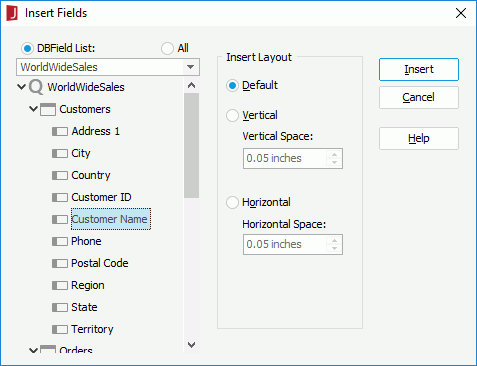
Select the required formula from the Formulas node, then specify its layout in the Insert Layout box.
Click the Insert button to insert the formula into the destination.
Notes:
In a query based report, not all formulas in the catalog are valid in the current context, so under the Formulas node in the Insert Fields dialog or the Data panel, only the valid formulas that are based on DBFields from the current dataset are listed.
If you insert a formula into the detail panel of a data component, the name of the formula will automatically be inserted as a label into the corresponding header panel. Otherwise the formula and its name label will be placed in the same panel. If you do not want to insert the name label automatically, you can uncheck Insert field name label with field in the Options dialog (File > Options > Component > Insert field name label with field).
Adding conditional formats to formula fields
You can add conditional formats to formula fields in a report, then when a specified condition is fulfilled, the format defined on the condition will be applied to the field values automatically. This is very useful to highlight values that might need to be acted on by end users.
To add conditional format to a formula field, right-click it and select Conditional Formatting from the shortcut menu, then take the same procedure as described in Adding conditional formats to DBFields.
 Previous Page Next Page