 Previous Page Next Page
This dialog appears when you select *Go Up and then click OK in the Web Action List dialog. It helps you define a Go Up web action for the data component in the library component as a response to the user defined message it receives at runtime.
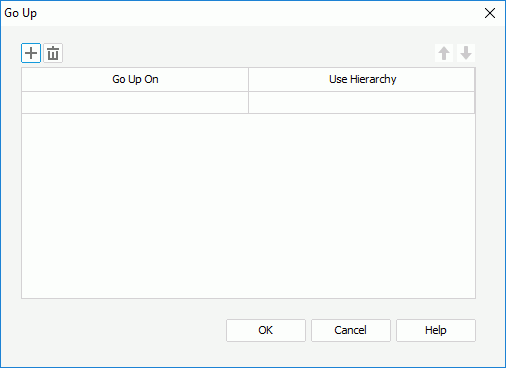
The following are details about options in the dialog:

Adds a new condition row. You can add one row at most.

Removes the condition row.
Go Up On
Specifies a field on which the go-up action will be performed in the data component.
Use Hierarchy
Specifies the hierarchy that the go-up action will follow.
OK
Accepts the changes and closes the dialog.
Cancel
Does not retain any changes and closes the dialog.
Help
Displays the help document about this feature.