 Previous Page Next Page
This dialog appears when you select *Go To and then click OK in the Web Action List dialog. It helps you to build a Go To web action for the data components in the report when the event bound with the action is triggered at runtime.
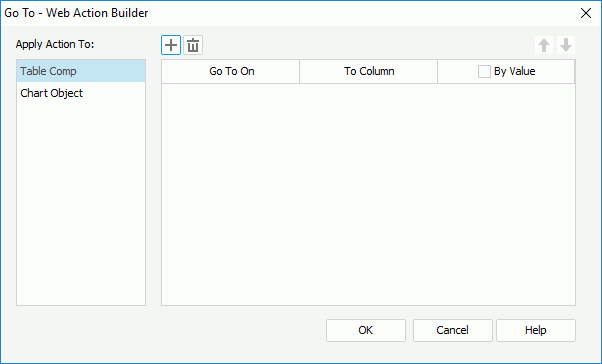
The following are details about options in the dialog:
Apply Action To
Select a data component and then specify the go-to condition. You can specify go-to condition for different data components.

Adds a new condition row. You can add one row at most.

Removes the condition row.
Go To On
Specifies a field on which the go-to action will be performed in the specified data component.
To Column
Specifies another field that the specified field will be converted to.
By Value
Specifies whether the go-to action will be performed by filtering a value of the specified field and the value if yes. Disabled if a crosstab aggregate field is selected in the Go To On column.
OK
Accepts the changes and closes the dialog.
Cancel
Does not retain any changes and closes the dialog.
Help
Displays the help document about this feature.