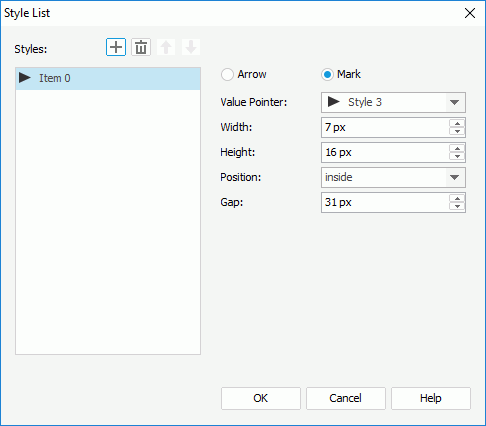
The following are details about options in this dialog:
Styles
Lists all the specified styles.
Adds a new style.
Removes the selected style.
Moves the selected style one step up.
Moves the selected style one step down.
Arrow
Specifies to use arrow as the pointer style.
Value Pointer
Specifies the style of the value pointer. Select a style from the drop-down list or select Customized and specify another image as the value pointer.
Width
Specifies the width of the arrow.
Height
Specifies the height of the arrow.
Mark
Specifies to use mark as the pointer style.
Value Pointer Specifies the style of the value pointer. Select a style from the drop-down list or select Customized and specify another image as the value pointer.
Width
Specifies the width of the mark.
Height
Specifies the height of the mark.
Position
Specifies the position relationship of the mark and the arc.
Gap
Specifies the distance between the pointer and the arc, in pixels.
OK
Applies the changes and closes the dialog.
Cancel
Does not retain any changes and closes the dialog.
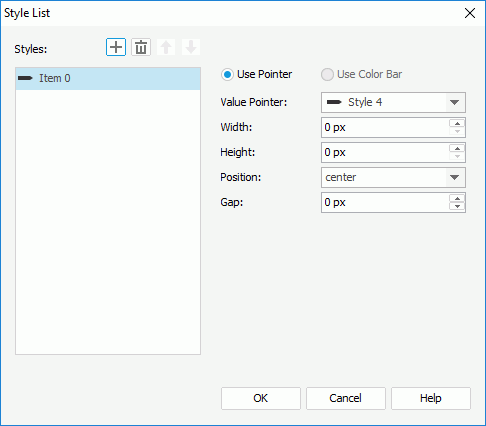
The following are details about options in this dialog:
Styles
Lists all the specified styles.
Adds a new style.
Removes the selected style.
Moves the selected style one step up.
Moves the selected style one step down.
Use Pointer
Specifies the style of the pointer.
Value Pointer
Specifies the style of the value pointer. Select a style from the drop-down list or select Customized and specify another image as the value pointer.
Width
Specifies the width of the pointer.
Height
Specifies the height of the pointer.
Position
Specifies the position of the pointer relative to the bar.
Gap
Specifies the distance between the pointer and the bar, in pixels.
Use Color Bar
This option is disabled.
OK
Applies the changes and closes the dialog.
Cancel
Does not retain any changes and closes the dialog.
 Previous Page Next Page