 Previous Page Next Page
This dialog appears when you select *Remove Filter and then click OK in the Web Action List dialog. It helps you define to remove filter conditions from the current library component as a response to the message the library component receives at runtime.
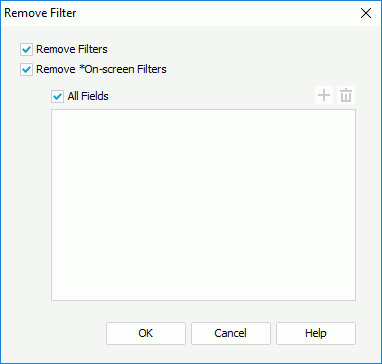
The following are details about options in the dialog:
Remove Filters
Removes from the current library component the filter conditions created using the Filter dialog, the Filter option on a field’s shortcut menu, and *Filter web action.
Remove *On-screen Filters
Removes from the current library component the filter conditions created by *On-screen Filter web action.


OK
Accepts the changes and closes this dialog.
Cancel
Does not retain any changes and closes the dialog.
Help
Displays the help document about this feature.