 Previous Page Next Page
This dialog appears when you click Data Source Drivers on the toolbar of Catalog Manager. It helps you to add, or remove a data source driver for cached query result into or from a JReport catalog.
The following are details about options in this dialog.
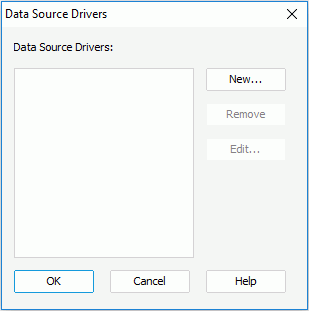
Data Source Drivers
Lists all the available data source driver names.
New
Opens the Data Source Editor to add a new data source driver.
Remove
Removes the selected data source driver.
Edit
Edits the selected data source driver.
OK
Accepts changes and closes the dialog.
Cancel
Cancels the changes and closes the dialog.
Help
Displays the help document about this feature.