 Previous Page Next Page
This dialog appears when you click the Menu > Edit > Search in the Formula Editor or User Defined Function Editor. You can then search for text in the formula or function text, and replace the found text with different text.
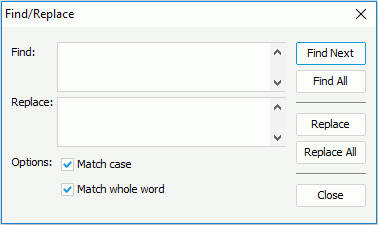
The following are details about options in the dialog:
Find
Specifies what to find.
Replace
Specifies what to use to replace the found text.
Options
Specifies the finding limit.
Find Next
Jumps to and selects the next occurrence of the search words in the Formula/Function Text.
Find All
Finds all occurrences of the search words in the Formula/Function Text.
Replace
Replaces the found material one by one in the Formula/Function Text.
Replace All
Replaces all of the found materials in the Formula/Function Text.
Close
Closes the dialog.