 Previous Page Next Page
This dialog appears when you click the Color List or Pattern List button in some chart element formatting dialogs, or click  in the value cell of the Pattern List property of a table or crosstab in the Report Inspector. It is used to modify the color pattern of data markers in the same data series respectively or modify the alternating color for the table or crosstab.
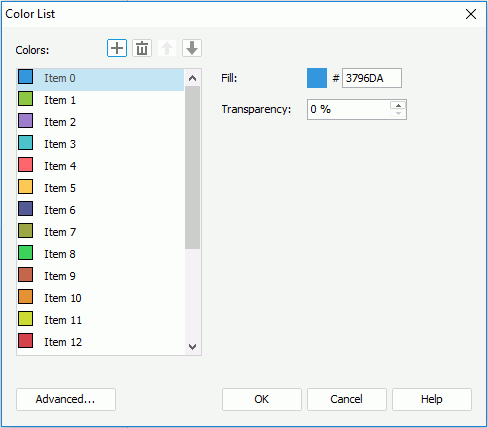
The following are details about options in the dialog:
Colors
Specifies the color and the transparency for the chart data markers or for the alternating color of the table or crosstab. Click the items in the box one by one to set the pattern for the data markers or for the alternating color that each of the item stands for.


Advanced
Opens the Advanced dialog to specify the color pattern for certain values. Available when the dialog is accessed from chart element formatting dialogs.
OK
Applies the changes and closes the dialog.
Cancel
Does not retain any changes and closes the dialog.
Help
Displays the help document about this feature.