 Previous Page Next Page
This dialog appears when you select *Property and then click OK in the Web Action List dialog. It helps you to build a Change Property web action to change the properties of the objects in the report when the event bound with the action is triggered at runtime.
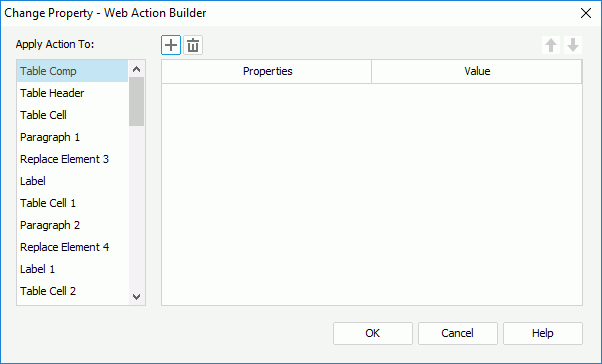
The following are details about options in the dialog:
Apply Action To
Select an object and then specify its property values. You can specify property values for different objects.

Adds a new property line.

Removes the selected property line.

Moves the selected property line one step up.

Moves the selected property line one step down.
Properties
Specifies which property you want to change. Which properties are available in the drop-down list depends on the object you select in the Apply Action To box.
Value
Specifies the value of the property.
OK
Accepts the changes and closes the dialog.
Cancel
Does not retain any changes and closes the dialog.
Help
Displays the help document about this feature.