2-D charts do not have floor, and pie and organization charts do not have floor or wall.
To format the wall of a chart:
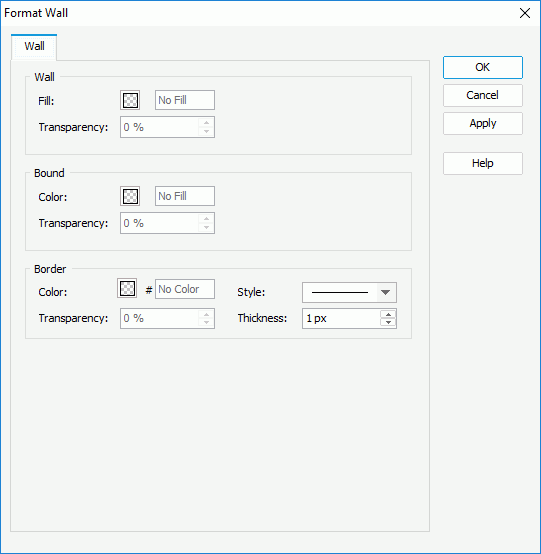
Right-click any chart element and click Format Walls > Format Wall on the shortcut menu to bring up the Format Wall dialog.
Set the fill mode for the wall and bound wall, and the color, style, transparency and thickness of the wall border as required (to change a color, click the color indicator and select a color from the color palette or input the hexadecimal value of a color directly in the text box).
Click OK to accept the changes and close the dialog.
To format the floor of a chart:
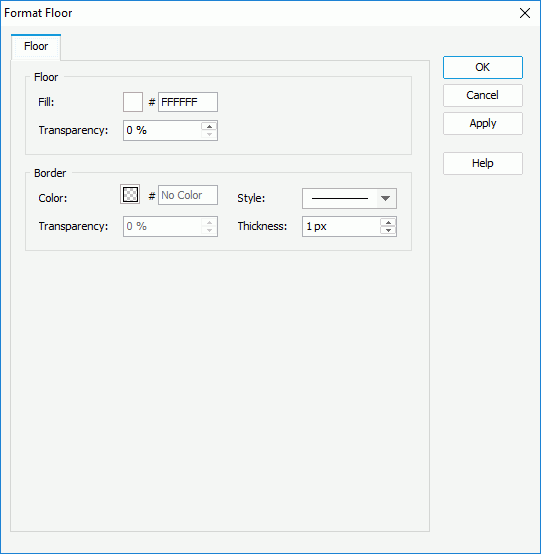
Right-click any chart element and click Format Walls > Format Floor on the shortcut menu to bring up the Format Floor dialog.
Set the fill mode for the floor, and the color, style, transparency and thickness of the floor border as required (to change a color, click the color indicator and select a color from the color palette or input the hexadecimal value of a color directly in the text box).
Click OK to accept the changes and close the dialog.
 Previous Page Next Page